Water Apps · By Phone and Watch
Does WHOOP Track Hydration? What It Logs and What It Cannot Measure
What WHOOP logs about water, what a wrist strap cannot measure, and how to keep a real water total beside it.
 By the Glubbo Editorial Team · Updated Nov 7, 2026 · 11 min read
On This Page
- Does WHOOP Measure How Hydrated You Are?
- Can Any Wearable Measure Hydration?
- How Do You Log Water in the WHOOP Journal?
- Can WHOOP Read Water From Apple Health or Health Connect?
- Does Hydration Change Your WHOOP Recovery?
- Does WHOOP Remind You to Drink Water?
- How Do You Count Drinks Alongside a WHOOP Strap?
- Run a Two-Week Hydration Test on Your WHOOP
- Common Questions
- Sources
Short answer
As a Journal answer you enter, not a sensor reading.
- Hydration is a Journal item under Nutrition, answered yes or no.
- On iPhone, WHOOP can pre-fill nutrition, water included, from Apple Health.
- Hydration insights need 5 yes and 5 no answers within 90 days.
WHOOP tracks hydration only as a diary entry you make yourself. Its pages describe no hydration reading. The strap senses heart rate, HRV, respiratory rate, blood oxygen and skin temperature, and none of those is a water reading, so WHOOP learns about your drinking when you answer a Journal question or when another app passes your water in through Apple Health.
With enough answers, WHOOP compares your Recovery on days you hydrated with days you did not. That comparison is an association in your own data, and WHOOP says it appears only after at least 5 "yes" and 5 "no" answers within 90 days, so a new Journal item takes weeks to show anything. Until then the Journal is only a record of what you told it.
The facts below are as of 7 November 2026 and come from WHOOP's support and Locker pages, its store listings, its member forum and two papers on wearable hydration sensors. Glubbo is our app and uses no WHOOP data.
Does WHOOP Measure How Hydrated You Are?
WHOOP's pages describe no hydration reading. Its Health Monitor page lists heart rate, HRV, respiratory rate, blood oxygen and skin temperature, and its App Store listing builds Recovery from HRV, resting heart rate, sleep and respiratory rate. Neither names a water or hydration reading, so water reaches WHOOP only through what you or another app enter.
| What WHOOP receives | What it is about water | Where WHOOP says so |
|---|---|---|
| The strap's sensors | Heart rate, HRV, respiratory rate, blood oxygen, skin temperature. No water reading | Health Monitor page, 2021 |
| A Journal answer | Hydration, a behavior under Nutrition that you add to the Journal and answer yes or no | WHOOP Journal Overview, September 2026 |
| Apple Health on iPhone | Water logged by a nutrition app, pre-filled into the Journal | WHOOP's macronutrient guide, July 2026, and Apple Health Integration |
| Health Connect on Android | Not listed: WHOOP's page lists exercise, distance, calories, weight, height, body fat and lean body mass | Health Connect Integration For Android |
Only the Journal answer works without a second app, and it holds a yes or no that you give.
Can Any Wearable Measure Hydration?
Not reliably yet. A 2025 scoping review of 63 studies says wearable sensors can give real-time hydration estimates, while their reliability and accuracy across people and conditions remain open. A 2026 test of two smartwatches found sweat-loss estimates off by 25 to 33 percent on average.
- 111
- adults ran up to four trials each in the test
- 0.71 to 0.90
- agreement between watch and weighed sweat loss
- 25 to 33 %
- mean absolute error of the watches' estimates
Each runner's sweat loss was also worked out from body weight before and after the run. The watches agreed with that weighed figure fairly well (Lin's concordance correlation of 0.71 to 0.90), yet their mean absolute percentage error was 25.38 % to 33.21 %.
The authors conclude that the watches suit general sweat-loss tracking but lack the precision to replace laboratory methods for hydration management.
How Do You Log Water in the WHOOP Journal?
Open the Journal, tap the pencil icon, search for Hydration and add it. WHOOP's search also returns Hydration for "water", and the behavior sits in the Nutrition category. The morning prompt asks about the day before, you can open the Journal during the day to log in the moment, and a past answer can be changed by going back up to 14 days.
Add Hydration to your Journal
- Open the Journal from the Home screen card or the + button
- Tap the pencil icon and search for Hydration or water
- Add it to your list of tracked behaviors
- Answer at the morning prompt, or open the Journal during the day
WHOOP's Journal overview gives these paths:
- The morning prompt, once your sleep has processed.
- The Journal card below your activities on the Home screen.
- The + button and Journal.
Its Locker article adds a spoken or typed route: you can log by talking or typing to WHOOP. You turn the Journal on or off under More, then App Settings, then Journal.

What Does the Hydration Question Ask For?
A yes or no. WHOOP's Journal overview counts Journal answers as Yes and No responses, with follow-up questions only "if shown", and it lists Hydration under Nutrition with no unit or amount. WHOOP's Locker guide says that "some behaviors include time or quantity fields", and neither page says Hydration is one of them or that it takes milliliters.
In January 2026 one member asked for milliliters because "the measurement "cups" isn't very standard", and a WHOOP community reply said it would pass the request to the team. Until then, a bottle of known size has to become a rule of your own before you answer yes.
WHOOP's own 2022 article counts glasses: members who logged 12 glasses of water saw next-day Recovery rise 3 % on average. It also talks about members who "report hydrating sufficiently", which leaves the meaning of a yes to you, so decide it before you start, as the last section suggests.
Can WHOOP Read Water From Apple Health or Health Connect?
On iPhone, yes through Auto-Log Nutrition. WHOOP's Apple Health page says the feature "allows third-party apps to automatically sync nutrition data into the WHOOP Journal", and its macronutrient guide names water among the data, set up from the blue banner in the Journal. On Android, no: WHOOP's Health Connect page lists no water import.
The water has to reach Apple Health first. A water app that writes to Apple Health does that, and WHOOP's guide says that if you already saved your Journal for the day, the prompt to pre-fill appears the next time you journal.
If Water From Apple Health Does Not Show Up
WHOOP's Apple Health page gives three fixes for missing nutrition data: make sure the third-party app has permission to write to Apple Health, reconnect the app if syncing issues persist, and open the app before you save your WHOOP Journal so the data can transfer.
What WHOOP's Apple Health page says to check
4 items- The water app has permission to write to Apple Health
- Reconnect the app if syncing issues persist
- Open the water app before you save the Journal
- Submit a support request if Health shows the water and the Journal does not
WHOOP's pages do not say why water can fail to arrive when those are in place. In May 2026 a member turned on "read data" for water in both Apple Health and the Journal's hydration log, saw entries in Health, and wrote that "the Whoop app can't seem to read the data from Apple Health". The thread shows no WHOOP reply.
What About Android and Health Connect?
WHOOP's Health Connect page lists what it imports: exercise, distance, calories, weight, height, body fat and lean body mass. Water is not on the list, and Auto-Log Nutrition appears only on the Apple Health page.
On Android, log Hydration by hand in the Journal. Which Android water apps write to Health Connect is a separate question, and nothing there makes WHOOP read it.
Does Hydration Change Your WHOOP Recovery?
WHOOP says it does for its members, on average. In a 2022 WHOOP analysis, members who reported hydrating sufficiently saw average HRV rise by 4.5 milliseconds and resting heart rate fall by 1.7 beats per minute. The data is self-reported, comes from WHOOP itself and shows an association.
- +4.5 ms
- average HRV when members report hydrating sufficiently
- -1.7 bpm
- average resting heart rate on those days
- +3 %
- next-day Recovery after logging 12 glasses of water
About one in three members tracked hydration in the Journal, and they reported hydrating sufficiently about two thirds of the time. Treat the figures as a clue and not a rule:
- They are members counting their own days.
- There is no comparison group.
- A day with enough water is often also a day with less alcohol and more sleep.
WHOOP's own Journal guide says that Behavior Impacts "show associations in your own data, not causes". The 2022 article calls alcohol the behavior most associated with lower Recovery, at -8 % on average, and how much alcohol actually dehydrates you is a separate question. A real fluid loss does raise heart rate, so a link is plausible, but the best-known figure comes from fluid lost during exercise.
How Many Days Until Your Hydration Insight Appears?
At least 10 logged days and usually more, because the "no" answers are the slow part. WHOOP needs 5 "yes" and 5 "no" answers for a behavior within 90 days, and its support page says to answer on the days you skip it too.
If you hydrate sufficiently two days in three, as WHOOP's members did, you get a "no" about one day in three, and five of them take about 15 days. Applied to other patterns, the same rule gives these day counts (our calculation).
| How often you answer "no" | Days to get 5 "no" answers | Fits inside 90 days? |
|---|---|---|
| One day in 3 | 15 | Yes |
| One day in 7 | 35 | Yes |
| One day in 21 | 105 | No |
| Never | Never | No "no" days to compare against |
If you answer "yes" every day, WHOOP has nothing to compare, so no hydration insight appears. WHOOP's self-experimentation guide also warns that when you test hydration you should avoid alcohol and late meals, since both change your sleep numbers.
Does WHOOP Remind You to Drink Water?
WHOOP's Journal pages describe no mid-day drink reminder. The one prompt they describe arrives after your sleep has processed and asks about the day before, and nothing on them sets a time for a water nudge. In January 2026 a member called morning water logging "too retrospective", and in June another asked for "a simple water tracker with quick-add buttons, daily goals and reminders".
WHOOP's replies on the two January threads, this one and the milliliter request above, say only that the team will hear about the idea. For a nudge during the day, a phone reminder does the job whatever strap you wear, and setting one on an iPhone takes a few minutes.
How Do You Count Drinks Alongside a WHOOP Strap?
Log drinks in something that does count them, then decide whether WHOOP should see them. On iPhone, an app that writes water to Apple Health can feed the Journal. Otherwise keep a separate total and answer the Hydration question from it each morning.
| Option | Where drinks are logged | Does WHOOP see them? | Reminders during the day | Cost |
|---|---|---|---|---|
| WHOOP Journal, Hydration | WHOOP app, at the morning prompt or whenever you open the Journal | It is the WHOOP log | None described | The app is free to download (App Store, Google Play) |
| A water app that writes to Apple Health | That app | On iPhone, through the Journal's pre-fill, if it works for you | Depends on the app | Varies by app |
| A watch that logs water itself, such as many Garmin models | The watch | Only if the data reaches Apple Health, which Garmin's manuals do not say | Garmin's Alerts setting | Built in |
| Glubbo (our app) | Your phone, iPhone or Android | No. It writes nothing to Apple Health on iPhone and has no WHOOP link | Gentle, Smart or Strict | Free with ads; Premium $2.99 a month or $9.99 once |
Glubbo is the app we make, so weigh its row with that in mind. On Google Play its listing names ads and in-app purchases from $2.99 to $9.99, and on Android it writes each drink to Health Connect once you allow it.
Pick by what you want from the log
- To see whether hydration moves your RecoveryThe Journal's Hydration item, with a rule for a yes
- Water in real volumes that reach WHOOP on iPhoneA water app that writes to Apple Health, then check the pre-fill
- A nudge during the dayA phone reminder or a water app with alerts
- WHOOP on AndroidLog Hydration by hand in the Journal
Run a Two-Week Hydration Test on Your WHOOP
Two weeks of consistent answers give you a clear start, and these steps set it up:
- Add Hydration to the Journal and keep the whole list short, as WHOOP advises, so you answer every item each morning.
- Write down what a "yes" means before day one. A rule such as "four refills of my 17 oz (500 ml) bottle" works, and counting refills of one bottle gives you the tally.
- Answer from the morning prompt every day, including the days you fell short.
- Keep alcohol and late meals steady while you test, as WHOOP's self-experimentation guide suggests.
- After the 5 "yes" and 5 "no" answers, open Behavior Insights under My Journal on the Home screen and read the Recovery gap as an association.
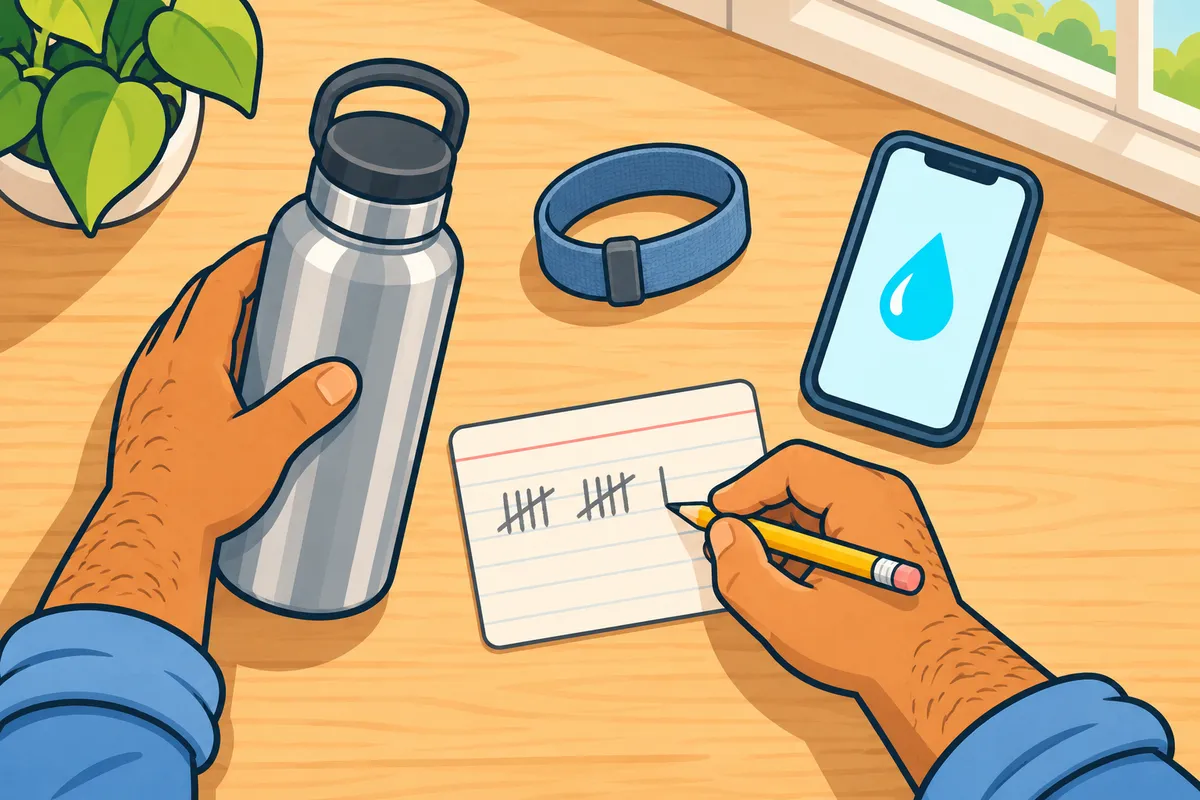
Pick a rule you meet on most days and miss on some. A rule you meet every day gives WHOOP no "no" answers to compare against.
Common Questions
How many Journal behaviors should you track?
WHOOP advises ten or fewer at a time, because a short list is easier to answer every day, and steady answers are how insights appear.
Do Journal entries count without a Recovery?
No. WHOOP says an entry counts toward Behavior Impacts only on days you have a Recovery, so a day without one adds nothing to your hydration insight.
General information for healthy adults, not medical advice. If a doctor has set your fluid amount, follow that.

More in Water Apps

Sources
- WHOOP. The WHOOP Journal: how to customize it and see what your habits do to your body, 2026.
- WHOOP Support. WHOOP Journal Overview, 2026.
- WHOOP Support. Apple Health Integration, 2026.
- WHOOP Support. Health Connect Integration For Android, 2025.
- WHOOP. How to Track Macronutrients for Better Grocery Choices, 2026.
- WHOOP. Benefits of Hydration and Tips to Stay Hydrated, 2022.
- WHOOP. Self-Experimentation Guide for Performance, 2026.
- WHOOP. WHOOP Feature: The Health Monitor, 2021.
- Apple App Store (Whoop Incorporated). WHOOP, 2026.
- Google Play (WHOOP). WHOOP, 2026.
- JMIR mHealth and uHealth (Belabbaci, Anaadumba and Alam), via PubMed. Recent Advancements in Wearable Hydration-Monitoring Technologies: Scoping Review of Sensors, Trends, and Future Directions, 2025.
- Sports Health (Carrier and colleagues), via PubMed. Evaluation of Exertional Sweat Loss Estimates in Wearable Technology, 2026.
- WHOOP Community (member post). Hydration - option to track in mL, 2026.
- WHOOP Community (member post). Hydration log: can't read Apple Health data, 2026.
- WHOOP Community (member post). Feature Request: Real-time Hydration Tracking with Apple Health Sync and iOS Widget Support, 2026.
- WHOOP Community (member post). Product improvements, 2026.
- Apple App Store (Glubbo). Glubbo - Drink Water Reminder, 2026.
- Google Play (Vinclair Studio). Glubbo - Drink Water Reminder, 2026.
Sources checked by the Glubbo Editorial Team on Nov 7, 2026. General information, not medical advice. How we write and check our guides.

