Water Apps · Widgets, Reminders and Features
How to Track Water in MyFitnessPal: Log, Goal and Sync
The Water card steps on iPhone, Android and the web, and what MyFitnessPal's help says about goals and reminders.
 By the Glubbo Editorial Team · Updated Nov 7, 2026 · 10 min read
On This Page
- How Do You Log Water in MyFitnessPal?
- Can You Change Your Water Goal in MyFitnessPal?
- Does MyFitnessPal Have a Water Reminder?
- How Do You Change the Water Unit in MyFitnessPal?
- Does MyFitnessPal Water Sync to Apple Health or Health Connect?
- Is There a MyFitnessPal Water Widget?
- Can You Log Water on Apple Watch or Wear OS?
- Is the Water Card Enough, or Do You Need a Water App?
- Ten Minutes to a Working MyFitnessPal Water Log
- Common Questions
- Sources
Short answer
Tap the Water card on Today; it has no water reminder.
- Today tab, Healthy Habits, Water card, enter cups, then save.
- The help names no screen for a water goal; the watch goal is fixed.
- Water syncs out to Health Connect and Google Health, not Apple Health.
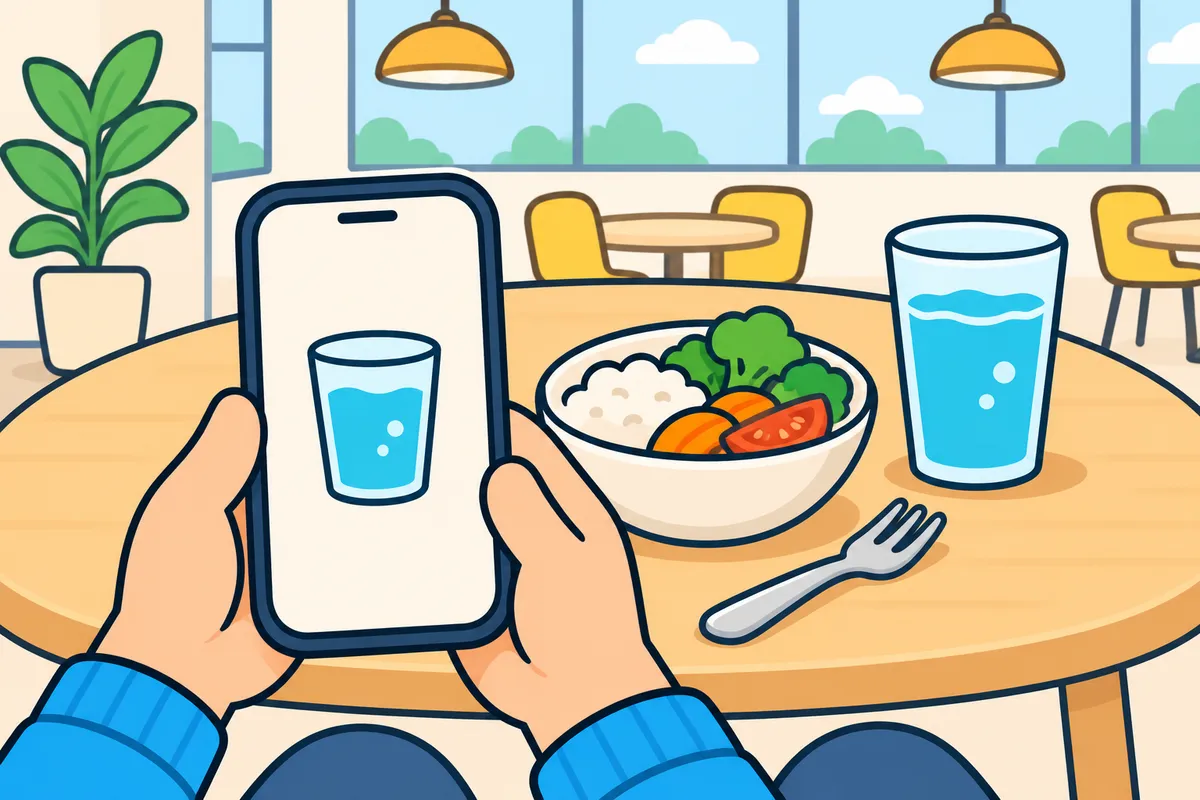
To track water in MyFitnessPal, open the Today tab, scroll to the Healthy Habits section, tap the Water card and enter the cups you drank. Three limits shape what that log can do for you:
- The help center names no screen for a water goal.
- Its reminders cover meals and not water.
- Water syncs out to Health Connect and Google Health but is missing from Apple Health's sync table.
Every step and quote below comes from MyFitnessPal's Help Center and store pages as of 7 November 2026. Where a help page is silent, this guide says so and does not guess a menu.
How Do You Log Water in MyFitnessPal?
On a phone, open the app, scroll the Today screen to Healthy Habits and tap the Water card. Enter the number of cups, then save with the checkmark on iPhone or Save on Android. On the website, open the Food tab, scroll to Water Consumption and click the pencil icon.
The iPhone and Android screens differ a little, so follow the column for your phone. MyFitnessPal's water how-to gives these steps for iPhone:
Log water on iPhone
- Open the app and stay on the Today screen
- Scroll to Healthy Habits and tap the Water card
- Tap Log water and enter the cups you drank
- Tap the checkmark in the top right to save
| iPhone | Android | Website | |
|---|---|---|---|
| Start at | Today, Healthy Habits, Water card | Today, Healthy Habits, Water card | Food tab, bottom of the page, Water Consumption |
| Add an amount | Tap Log water, enter cups | Enter cups | Click the pencil icon, pick a common size or type a running total |
| Change the unit | Tap Change Unit | Gear icon in the upper right, then the water unit | Listed on the left of the Water Consumption area |
| Save | Checkmark in the top right | Save at the bottom | Save, or Add for a custom amount |
You enter cups on all three, and the website also takes a running total for the day. That suits a person who logs once in the evening for everything they drank.
What If You Do Not See a Water Card?
The Water card belongs to the redesigned Today tab, where Healthy Habits holds water, exercise and steps. An app on version 22.9.5 or below uses the older route, and MyFitnessPal's help for those versions says to tap the large blue plus button, then Water.
Update the app first when you can, since the steps above match the current screens.
How Many Cups Is Your Bottle?
The Water card asks for cups, while most bottles carry ounces or milliliters on the label. The help article says only "cups" and never defines one, so the table assumes a US cup of 8 fluid ounces, which NIST lists as 236.6 ml.
| Bottle | Cups to enter |
|---|---|
| 12 oz (355 ml) | 1.5 |
| 16.9 oz (500 ml) | 2.1 |
| 20 oz (591 ml) | 2.5 |
| 24 oz (710 ml) | 3 |
| 32 oz (946 ml) | 4 |
| 1 L (33.8 oz) | 4.2 |
The cups column is our arithmetic from NIST's factors. A 24 oz bottle is exactly 3 cups, so three refills a day log 9 cups. If you choose another unit with Change Unit, enter the bottle in that unit and skip the conversion.
Can You Change Your Water Goal in MyFitnessPal?
MyFitnessPal's help says water goals are "managed separately from logging" and tells you to "Check your goal settings." The help covers three places, and only one has a water goal:
- Phone and website: it names no screen for a water goal, and it does not document how to change the water goal in the phone app.
- Goals screen: the help center documents More (or your profile icon), then Goals, and its guide to nutritional goals lists calorie, carb, protein and fat goals there, with no water goal.
- Wear OS watch app: the one documented water goal belongs here, and it stays fixed.
Until the help center names a water screen, keep your daily target in cups yourself and compare the Water card with it as the day goes on.
What Is the Fixed Goal on the Watch App?
On Wear OS, male users start at a water goal of 85 ounces and female users at 64 ounces, and the article says you cannot edit either number at this time.
- 64 oz
- female default on Wear OS, 8 cups or about 1,893 ml
- 85 oz
- male default on Wear OS, about 10.6 cups or 2,514 ml
The article gives no basis for either number. Check them against the official daily fluid figures in cups and ounces before you treat one as your own goal.
How Do You Set Your Own Target in Cups?
Pick your daily amount in the units you know, then convert it once. A 2,000 ml target is about 8.5 cups, and 64 oz is exactly 8. Look at the Water card at 3 pm and you can see how far you are from that number.
Does MyFitnessPal Have a Water Reminder?
No water reminder appears in MyFitnessPal's help pages. The reminder article lets you pick a meal and a time, the push-notification article points to logging reminders for meals and describes no water alert, and the App Store description mentions reminders only for GLP-1 medication.
What Does the Logging Reminder Do?
Open the profile icon menu, tap Reminders and tap the plus sign. Under "Remind me if I haven’t logged," you choose a meal, pick a time and tap the check mark. You can add several, each with its own time, and none arrives unless the phone's notification settings allow MyFitnessPal.
MyFitnessPal's Logging Reminder
- You choose a meal and a time
- Several reminders, each with its own time
- Needs notifications allowed for the app
A Water Nudge
- A repeating alarm or a water app
- You write the label, such as the amount
- Rings without opening MyFitnessPal
Where Can a Water Nudge Come From?
A repeating phone alarm labelled with the amount does the job without another app, and the steps for iPhone, Android and Apple Watch take a few minutes. A water app next to MyFitnessPal works too, provided you log each drink in one place.
How Do You Change the Water Unit in MyFitnessPal?
On iPhone, tap Change Unit on the Log water screen. On Android, tap the gear icon in the upper right of the water screen, then tap the water unit. On the website, the unit choice is listed on the left of the Water Consumption area, and the article names none of the units on offer.
The general units article walks through Settings, then Profile, then Units, and it never mentions water. Changing weight or distance there is therefore not documented to change your water unit.
Where the water unit shows up, according to the help pages:
- iPhone and Android: on the water screen, as described above.
- iPhone widget: it follows "your water settings" in the app.
- Wear OS watch: it displays cups only, and MyFitnessPal says it is looking into ounces.
Does MyFitnessPal Water Sync to Apple Health or Health Connect?
Partly. Water logged in MyFitnessPal syncs to Health Connect on Android and to Google Health (Fitbit), in one direction only. The Apple Health sync table lists food, exercise, weight and sleep, so water is not documented there.
| Where it goes | Water direction | MyFitnessPal's page says |
|---|---|---|
| Health Connect (Android) | MyFitnessPal to Health Connect | "will sync to the user’s Health Connect account" |
| Google Health (Fitbit) | MyFitnessPal to Google Health | "will sync to Google Health" |
| Apple Health (iPhone) | Not listed | Four rows: Food, Exercise, Weight, Sleep |
Both Android pages add that the sync "only works in one direction," so you must log water in MyFitnessPal for it to leave. A glass you log in another water app does not come into MyFitnessPal through these syncs. A water-first app is the usual way to get drinks into Apple Health or Health Connect, and those two pages list which apps do it.
Is There a MyFitnessPal Water Widget?
Yes on iPhone, if it runs iOS 18 or later: MyFitnessPal added an interactive Water Widget. Water logged from it appears in your diary, and the widget shows the units from your water settings. The widget article names no Android water widget.
The widget article adds three limits:
- The Android widgets in it show calories and macros only.
- On iPhone, the article says to swipe right to the Today View, tap Edit and the plus icon, and pick MyFitnessPal.
- All of MyFitnessPal's widgets need a recent app version, 22.11.0 or later.
If widget logging is what you want most, water apps with an iPhone widget are compared on their own page.
Can You Log Water on Apple Watch or Wear OS?
Yes on both, with different limits. The Apple Watch app lets you add water to your diary, and the Wear OS app does too.
| Apple Watch | Wear OS | |
|---|---|---|
| Add water | Yes, "Add water to your diary" | Yes, plus a water complication |
| Water goal | Not described in the article | Fixed at 64 or 85 oz |
| Units | Not described in the article | Cups only |
| Needs | watchOS 10.0 or later, per the App Store listing | A Wear OS watch |
Is the Water Card Enough, or Do You Need a Water App?
If you want a cups total next to your calories, the Water card is enough. If you want a nudge at set times, drinks in Apple Health or a goal you can change on the phone, you need something besides it. If you are still choosing a food logger, six calorie counters are judged by their water log rather than by their food database.
Which fits your day?
1Do you only want a daily cups total beside your food log?
YesUse the Water card. It sits in Healthy Habits and costs one tap and a number.
No2Do you forget to drink until the afternoon?
YesAdd a repeating alarm. MyFitnessPal's reminders cover meals, so the nudge has to come from the phone or another app.
No3Do you want your water in Apple Health?
YesUse an app that names Apple Health. MyFitnessPal's sync table does not list water for it.
NoOtherwiseKeep logging in MyFitnessPal. Compare the Water card with your cups target once at midday.
Glubbo is the water app we make, so weigh this table with that in mind. It logs water only, with no food or calories, and it does not sync with MyFitnessPal. A drink logged in one never shows in the other.
| MyFitnessPal | Glubbo | |
|---|---|---|
| What it logs | Food, exercise, weight and water | Water only |
| Water amounts | Cups, with a unit option | 50, 150, 250 or 500 ml in one tap, or any amount |
| Water reminder | None documented, meal reminders only | Gentle, Smart or Strict |
| Health sync | Water out to Health Connect and Google Health | On Android, each drink can go to Health Connect |
| Price on the US App Store | Free, in-app purchases listed from $9.99 to $79.99 | Free with ads, Premium $2.99 a month or $9.99 Lifetime |
MyFitnessPal's App Store page lists advertising too, and its Google Play page shows ads and purchases from $0.99 to $99.99 per item. Glubbo's Play listing names ads and purchases from $2.99 to $9.99, and its App Store page has no ratings yet.
Ten Minutes to a Working MyFitnessPal Water Log
Ten minutes tonight settles the log before tomorrow's first drink:
- Update the app, then find the Water card under Healthy Habits on the Today tab.
- Check the unit on the water screen, with Change Unit on iPhone or the gear icon on Android.
- Pick your daily amount, convert it once to cups with the table above and write the number where you will see it.
- Set a repeating alarm for the hours you forget, because MyFitnessPal's reminders cover meals.
- Log water in MyFitnessPal only if you want it to reach Health Connect or Google Health, since that sync runs one way.
Tomorrow evening, compare the Water card with your cups target and adjust the size of the bottle you carry.
Common Questions
Can I log water for a previous day?
Yes. MyFitnessPal's help says to go to that day in your diary first, then log water the same way you do for today.
Does my water log sync between phone and website?
Yes, as long as both are online and signed into the same account, and MyFitnessPal's help names no other condition.
Can I log water with my voice?
No. MyFitnessPal's article on logging food with your voice lists weight, exercise and water as entries it does not support yet.
General information for healthy adults, not medical advice. If a doctor has set your fluid amount, follow that.
More in Water Apps
Sources
- MyFitnessPal Help Center. How to track how much water you drink, 2026.
- MyFitnessPal Help Center. Your Today tab, 2026.
- MyFitnessPal Help Center. How to utilize the app if you're not running the most recent update?, 2026.
- MyFitnessPal Help Center. How to set up logging reminders, 2026.
- MyFitnessPal Help Center. How to set up push notifications, 2026.
- MyFitnessPal Help Center. Wear OS App, 2026.
- MyFitnessPal Help Center. Apple Watch App, 2026.
- MyFitnessPal Help Center. How to add a Widget to mobile Home Screen, 2026.
- MyFitnessPal Help Center. Health Connect FAQ and Troubleshooting, 2026.
- MyFitnessPal Help Center. What syncs to and from Google Health (Fitbit), 2026.
- MyFitnessPal Help Center. Apple Health connection and syncing, 2026.
- MyFitnessPal Help Center. How to change your preferred units of measure, 2026.
- MyFitnessPal Help Center. Customize your nutritional goals, 2026.
- MyFitnessPal Help Center. How to log food with your voice, 2026.
- Apple App Store (MyFitnessPal, Inc.). MyFitnessPal: Calorie Counter, 2026.
- Google Play (MyFitnessPal, Inc.). MyFitnessPal: Calorie Counter, 2026.
- NIST. Guide for the Use of the International System of Units, Appendix B.8: Conversion factors, 2008.
- Apple App Store (Glubbo). Glubbo - Drink Water Reminder, 2026.
- Google Play (Vinclair Studio). Glubbo - Drink Water Reminder, 2026.
Sources checked by the Glubbo Editorial Team on Nov 7, 2026. General information, not medical advice. How we write and check our guides.

