Water Apps · Widgets, Reminders and Features
Alexa Remind Me to Drink Water: Phrases, Routines and Google Home
The exact phrases Amazon and Google list, how to get an hourly nudge, and what a speaker cannot record.
 By the Glubbo Editorial Team · Updated Nov 7, 2026 · 9 min read
On This Page
- Can Alexa Remind Me to Drink Water?
- How Do You Set an Alexa Water Reminder in the App?
- Can Alexa Remind Me to Drink Water Every Hour?
- Can Alexa Keep Reminding Me Until I Drink?
- Can an Alexa Routine Remind Me to Drink Water?
- Can You Set a Water Reminder on Google Home?
- Does a Smart Speaker Track How Much Water You Drink?
- Why Did I Not Hear My Alexa Reminder?
- Set Your First Water Reminders Tonight
- Sources
Short answer
Yes, Alexa sets it by voice; hourly needs a workaround.
- Say: Remind me to drink water every day at 9 am.
- Amazon lists daily and weekly repeats, with no every-hour phrase.
- A follow-up reminder repeats every hour or day until you confirm.
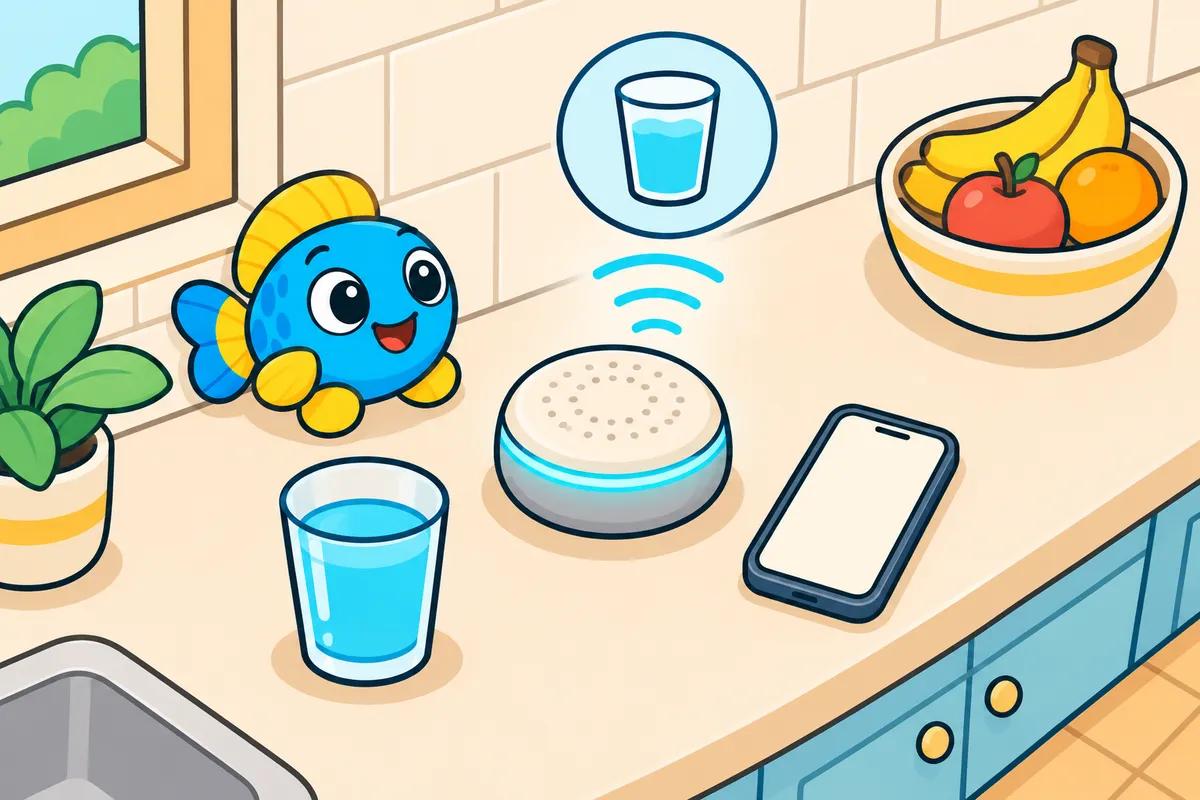
Yes. Say "Alexa, remind me to drink water every day at 9 am" to an Echo and it announces the reminder at that time, using the same pattern as Amazon's own example, "Remind me to stretch every day at 9 am." Amazon's help pages show daily and weekly repeats but no every-hour phrase, so a drink-every-hour day takes one of three things:
- One reminder per time.
- A follow-up reminder.
- A routine.
A speaker also only reminds you, because Amazon's and Google's help pages describe reminders and routines with no way to log a drink.
Everything below comes from Amazon's and Google's help pages as of 7 November 2026. Where a page says nothing, the text says so.
Can Alexa Remind Me to Drink Water?
Yes. Tell any Echo what to remind you of and when, and Alexa sets it: Amazon's page says to "Just tell Alexa what you want a reminder for, and when to remind you." Keep Amazon's sentence shape and swap in water, the time, the day or the person.
| What you want | Amazon's example | Your water version |
|---|---|---|
| Every day at one time | "Remind me to stretch every day at 9 am." | "Remind me to drink water every day at 9 am." |
| One day a week | "Remind me to call Dad every Saturday." | "Remind me to drink water every Saturday at 10 am." |
| Everyone in the house | "Remind everyone to drink water at 9 am." | The same sentence, which is Amazon's own water example |
| One person | "Remind Josh to unload the dishwasher every day at 8 pm." | "Remind Josh to drink water every day at 8 pm." |
| Until you answer | "Create a follow up reminder to pay rent." | "Create a follow up reminder to drink water." |
Amazon's What are Alexa Reminders? page gives the first two examples, and Set Reminders with Alexa gives the other three. Reminding another person has one condition: "You can only assign a reminder to someone who has an Alexa profile on the same Amazon Alexa Account." The water versions are our wording.
How Do You Set an Alexa Water Reminder in the App?
Open the Alexa app, tap More, choose Reminders, select Add Reminder and enter the details. Amazon's page says you can also choose which Alexa device announces it. The app is slower than speaking but it is where you check, edit or add reminders.
Add a water reminder in the Alexa app
- Open the Alexa app on your phone
- Tap More, then choose Reminders
- Select Add Reminder and enter the details, such as Drink water and the time
- Pick the Alexa device that should announce it
To see what you have set, ask "What are my reminders?" on any Alexa device. Amazon's page says you can manage, edit or add reminders in the Alexa app, and that Alexa can also send reminders to your phone.
Can Alexa Remind Me to Drink Water Every Hour?
Amazon's help pages do not give an every-hour phrase. They document:
- reminders that repeat daily or weekly;
- follow-up reminders that repeat every hour or day until you confirm;
- routines that start at a time of day.
Blog posts that tell you to say "set a water reminder for every hour" name no Amazon page.
Each of Amazon's examples names a single time, so with the phrases Amazon documents, a spoken reminder is one sentence per time:
| Gap between drinks | Times from 9 am to 5 pm | Sentences to say |
|---|---|---|
| Every 3 hours | 9 am, 12 pm, 3 pm | 3 |
| Every 2 hours | 9 am, 11 am, 1 pm, 3 pm, 5 pm | 5 |
| Every hour | 9 am through 5 pm | 9 |
That count is our arithmetic, not an Amazon limit. A 3-hour gap takes three sentences and about a minute to say, while hourly takes nine. On a busy or hot day a drink every hour or two keeps you on track, so the 2-hour row is a sensible default for an office day.
Amazon also lists "Remind me again in an hour." as a snooze phrase. Said when a reminder rings, it brings that reminder back an hour later.
Can Alexa Keep Reminding Me Until I Drink?
Yes, with a follow-up reminder. Say "Create a follow up reminder to drink water" and, in Amazon's words, Alexa "continues to send reminder notifications every hour or day" until you confirm the reminder is complete.
Amazon does not say whether you choose hourly or daily, so do not count on hourly pacing. Confirming ends the reminder, so one follow-up covers the first glass and then goes quiet. For a whole day, pair a follow-up at 9 am with fixed-time reminders for later.
When a reminder goes off, Amazon lists replies such as:
- "Snooze reminder for 10 minutes."
- "Remind me again tomorrow."
- "Dismiss reminder."
Can an Alexa Routine Remind Me to Drink Water?
Partly. Amazon's ready-made Drink Water routine starts "when coughing is detected", so it follows your cough and not the clock. You can build a routine that starts at a set time, but Amazon's pages never say a routine can speak a plain line such as "Time to drink water".
A reminder
- One spoken sentence sets it
- Repeats by day or week in Amazon's examples
- A follow-up repeats every hour or day until confirmed
- Plays on the speaker you set it on
Your own routine
- Built in the app: More, Routines, Plus, Add an event, Add an action, Save
- Can start at a specific time of day
- A Custom action takes a request typed as you would say it
- Up to 200 routines on one account
Amazon's routine steps are More, Routines, the plus icon, "Add an event", "Add an action" and Save, and its routines overview lists "A specific time of day" among the triggers. A Custom action is a request typed "just as you might say by voice", without the wake word.
To check a Custom action:
- Select "Preview this action" to check that Alexa responds correctly.
- Open Voice History under More, then Activity, to see what Alexa heard.
Can You Set a Water Reminder on Google Home?
Yes, by voice. Google's list of things to ask gives "Remind me to do laundry this evening." and "Remind me to call Mom every Sunday." as reminder examples, so the weekly water version is "Hey Google, remind me to drink water every Sunday". That weekly phrase is the only repeat Google's page shows, and it documents no daily or hourly phrase.
Which Assistant Is on Your Speaker?
Google's page for Gemini for Home gives a short check, and the result decides which help page applies to you.
Check which assistant your home runs
- Open the Google Home app
- At the top right, tap your profile picture or initial
- Tap Home settings
- Read whether it shows Google Assistant or Gemini for Home voice assistant
Newer speakers run Gemini for Home, which replaces Google Assistant on compatible devices. Google's page says "Once you switch your home to Gemini for Home voice assistant, it can't switch back to Google Assistant." It adds that you can create and edit reminders "just by talking naturally" and says nothing about repeating ones.
Google limits early access to certain countries and languages and to personal accounts, not Workspace accounts.
On the Assistant side, a spoken "remind me" becomes a Google Task: Google's example "Hey Google, remind me to call Mom at noon tomorrow." sits on its Tasks page. You view tasks in the Google Home app under Apps, Assistant, Tasks, or by saying "Hey Google, open Tasks." For tasks on a shared speaker, Google says to turn on personal results and set up Voice Match.
A Spoken Message at a Set Time
For a message at a time you pick, Google's Home app lets you build an automation. Google's list of starters includes "At 4:00 PM..." and "On Tuesday...", and its actions include "Broadcast an announcement or a message", with the sample "...broadcast a reminder to take out the trash at 5:00 PM." Swap in "Time for a glass of water" and a time, and add one automation per drink.
The same page's schedule list describes one starter as "Start on a specific date or hourly, monthly, or annually", but it gives sample prompts only for the date, monthly and yearly ones, so it does not show how an hourly one is set. Google's older routines page describes a Time starter that runs "at the time and on the days you choose", and tells you to select the audio device when the routine includes audio.
| Alexa (Amazon's help) | Google Home (Google's help) | |
|---|---|---|
| Spoken reminder | "Remind me to stretch every day at 9 am." | "Remind me to do laundry this evening." |
| Repeat shown | Daily, weekly | Weekly, "every Sunday" |
| Repeats until you confirm | Follow-up reminders, every hour or day | Not described |
| Spoken message at a set time | A routine with a time-of-day trigger | An automation with a time starter and a broadcast action |
| Where it plays | The speaker you set it on | Not described for reminders |
| Where you see them | Alexa app, More, Reminders | Google Home app, Apps, Assistant, Tasks |
| Logs a drink | Not described | Not described |
Both assistants cover the reminder itself, and only Alexa documents a repeat-until-done option.
Does a Smart Speaker Track How Much Water You Drink?
No. A reminder is a sentence and a time. Amazon's pages describe saying it, snoozing it and confirming it done, Google's describe saying it and finding it in Tasks, and neither describes recording a glass or an amount.
At 9 am the speaker has done its job, and at 9 pm you still cannot tell whether the day held three glasses or seven. For a day total you need a log, and the phone's own Reminders and Clock tools take a few taps in the guide to water reminders on your phone, though they do not log either.
Glubbo, our own app, is free with ads on iPhone and Android.
Why Did I Not Hear My Alexa Reminder?
Most often because it played on a different speaker. Amazon says Alexa announces a reminder only on the device where you set it. A speaker in the kitchen will not reach you in a home office.
If you think you missed one
5 items- Look for the yellow light on an Echo, or the notice on an Echo Spot or Echo Show screen
- Ask any Alexa device: What are my reminders?
- Allow notifications from Alexa in your phone's settings
- Set the reminder on the speaker in the room where you drink
- Re-create reminders after resetting or deregistering an Echo
Set Your First Water Reminders Tonight
Pick the speaker in the room where you spend the day, say three sentences and check the list.
Pick by where you are during the day
- At home, one room all dayAlexa or Google Home reminders on that speaker
- You skip the first glassAn Alexa follow-up reminder at your first time
- Away from the speaker for hoursYour phone's reminders
- You want a daily totalA water app that logs each glass
Tonight, say "Remind me to drink water every day at 9 am", then two more times for the later hours, and ask "What are my reminders?" to confirm all three.
General information for healthy adults, not medical advice. If a doctor has set your fluid amount, follow that.
More in Water Apps

Sources
- Amazon Customer Service. What are Alexa Reminders?, 2026.
- Amazon Customer Service. Set Reminders with Alexa, 2026.
- Amazon Customer Service. Get Reminder Notifications From Alexa, 2026.
- Amazon Customer Service. What Can You Do with Alexa Routines?, 2026.
- Amazon Customer Service. Create an Alexa Routine in the Alexa App, 2026.
- Amazon Customer Service. Set a Custom Action in an Alexa Routine, 2026.
- About Amazon. Popular Alexa routines, 2026.
- Google Home and Nest Help. What you can ask Google Assistant, 2026.
- Google Assistant Help. Set & manage Google Tasks with Google Assistant, 2026.
- Google Home and Nest Help. Learn about Gemini for Home voice assistant, 2026.
- Google Home and Nest Help. Supported automation starters, conditions & actions, 2026.
- Google Assistant Help. Automate daily routines & tasks with Google Assistant, 2026.
- Apple App Store (Glubbo). Glubbo - Drink Water Reminder, 2026.
- Google Play (Vinclair Studio). Glubbo - Drink Water Reminder, 2026.
Sources checked by the Glubbo Editorial Team on Nov 7, 2026. General information, not medical advice. How we write and check our guides.

