Habits and Routines · Trackers and Streaks
Habit Tracker Template: Free Weekly and Monthly Grids to Copy
A weekly and a monthly grid to copy, the formulas that total them, and print settings that give each day a box.
 By the Glubbo Editorial Team · Updated Nov 2, 2026 · 11 min read
On This Page
- What Should a Habit Tracker Template Include?
- A Monthly Habit Tracker Template to Copy
- A Weekly Habit Tracker Template With Room for Notes
- Which Layout Should a Habit Tracker Template Use?
- How Do You Print a Habit Tracker So the Boxes Fit?
- How Do You Copy a Habit Tracker Template Into Google Sheets or Excel?
- Is a Paper or Digital Habit Tracker Better?
- Set Up Your First Sheet Before the 1st
- Common Questions
- Sources
Short answer
Habits down the side, days across, a total at the end.
- Monthly: 31 day boxes about 6 mm wide on a US Letter page turned sideways.
- Weekly: 7 wider boxes plus a column for what got in the way.
- In a spreadsheet, =COUNTIF(B2:AF2,"x") totals one habit's month.
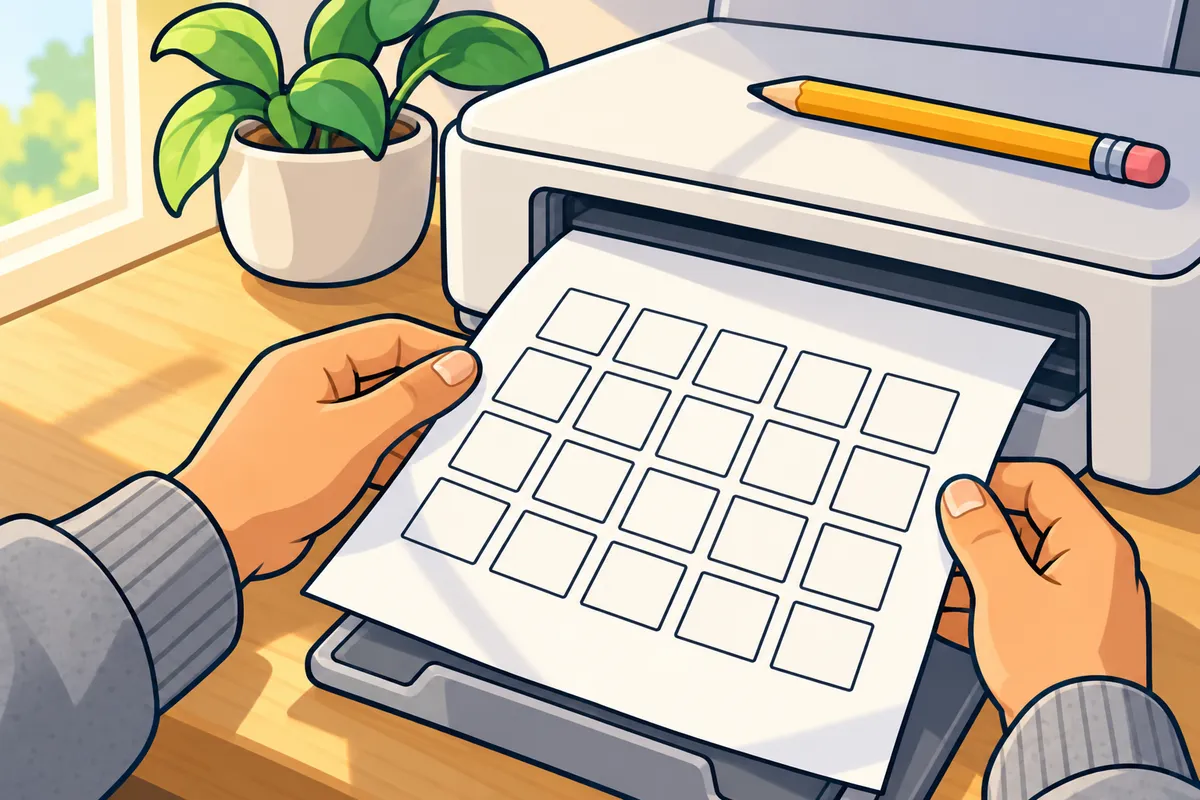
A habit tracker template is a grid: one habit per row, one column for each day, and a column at the end for the total. Copy the weekly or the monthly grid below onto paper or into a spreadsheet, and the template is done in ten minutes.
The work is in two details. A month of 31 days leaves each box about 6 mm wide on a sideways US Letter page, too small for anything but a tick, and Excel prints lines only around cells that hold data, so an empty grid needs borders or the Print setting under Gridlines.
What Should a Habit Tracker Template Include?
A good template has six parts:
Six parts of a habit tracker template
6 items- A row label that names the action
- One box per day
- A total column
- The month or week in the header
- A key for your marks
- A line for the review
Leave out quotes, mood stickers and decoration until the grid has survived a full month.
A row label should be something you can answer yes or no, such as Walk 20 min instead of Exercise more. Use one box per day, all the same size, and write the mark key on the sheet:
xmeans done.-means a planned rest day.- A blank means missed.
The label is where most templates fail. A row that says "Exercise" invites an argument every evening, while "Walk 20 min" is either true or not. Which actions deserve a row at all is a separate choice, and rows tied to a goal you can tick in one second are the ones that last.
The mark key looks fussy until the 14th of the month. Then a dash for a planned rest day keeps a Sunday off from counting as a miss, and the rate you work out at the end stays honest.
A Monthly Habit Tracker Template to Copy
Copy this layout onto squared paper or into the first rows of a spreadsheet. Column A holds the habits, B to AF hold days 1 to 31, AG holds the done count and AH the rate. To paste the whole header row into Google Sheets or Excel, copy this line into cell A1, then use Data, Split text to columns (Google Sheets) or Data, Text to Columns (Excel) with a comma as the separator:
Habit,1,2,3,4,5,6,7,8,9,10,11,12,13,14,15,16,17,18,19,20,21,22,23,24,25,26,27,28,29,30,31,Done,Rate
Below it, type one habit per row in column A and leave the day boxes empty. The table shows the first week and the last day; days 8 to 30 repeat the same empty box.
| A | B | C | D | E | F | G | H | … | AF | AG | AH |
|---|---|---|---|---|---|---|---|---|---|---|---|
| Habit | 1 | 2 | 3 | 4 | 5 | 6 | 7 | … | 31 | Done | Rate |
| Walk 20 min | … | ||||||||||
| Read 1 page | … | ||||||||||
| Water with lunch | … |
Three habit rows fill a month with 93 boxes. That is enough to see a pattern, and few enough that ticking takes under ten seconds a night.
Fit the Grid to the Real Month
Write the month's name above column A and shade the boxes that do not exist. November 2026 has 30 days and starts on a Sunday, so day 31 is shaded and every Sunday column sits at 1, 8, 15, 22 and 29.
Write a weekday letter above each date if your week has a pattern, such as a long shift on Saturdays. A blank that keeps landing in the same weekday column shows up at a glance.
A Weekly Habit Tracker Template With Room for Notes
The weekly sheet trades the long view for space. Seven boxes per habit leave room to write a number, such as minutes walked, and a last column for what got in the way.
| Habit | Mon | Tue | Wed | Thu | Fri | Sat | Sun | Done | What got in the way |
|---|---|---|---|---|---|---|---|---|---|
| Walk 20 min | /7 | ||||||||
| Read 1 page | /7 | ||||||||
| Water with lunch | /7 | ||||||||
| Lights out by 11 | /7 |
Write the Monday date in the top left corner before you start. Four weekly sheets with their notes columns tell you why a habit slipped; a monthly grid only tells you when.
Which Layout Should a Habit Tracker Template Use?
Use a monthly grid for daily yes-or-no habits and a weekly sheet when you want to log an amount or a note. A one-year grid suits a single habit you want to watch for months, and a 100-box grid suits a challenge with a set number of days.
| Layout | Boxes per habit | Box width on US Letter | Fits best |
|---|---|---|---|
| Monthly, 31 columns, landscape | 31 | about 6 mm (0.24 in) | Daily yes-or-no habits, up to five rows |
| Weekly, 7 columns and notes, portrait | 7 | about 11 mm (0.43 in) | A number per day, or a reason for each miss |
| One year, 12 rows by 31 columns, landscape | 365 or 366 | about 7.5 mm (0.30 in) | One habit, watched month by month |
| 100 days, 10 by 10, portrait | 100 | about 19 mm (0.75 in) | A challenge with a fixed end |
The widths come from simple arithmetic on a US Letter sheet with half-inch margins. Turned sideways, the page leaves 10 inches across; take 2 inches for habit names and half an inch for the total, and 31 boxes share 7.5 inches.
On A4 the numbers barely move. A sideways A4 page is 297 mm wide; with 13 mm margins, 50 mm of names and a 13 mm total column, each of the 31 boxes gets about 6.7 mm.
How Do You Print a Habit Tracker So the Boxes Fit?
Turn the page to landscape, scale the sheet to one page wide, and put borders or printed gridlines on the empty boxes. In Excel, tick Print under Gridlines, or add borders: gridlines print only around cells that hold data, so a blank template can come out of the printer as a blank page.
Print a Blank Grid From Excel
- Page Layout, Page Setup, Orientation: Landscape
- Scale to Fit: Width 1 page, Height Automatic
- Sheet Options, Gridlines: tick Print
- Set the print area over the empty boxes, or add borders
- File, Print, and check the preview before you print
In Excel
Microsoft's Scale a worksheet page gives the width setting: on the Page Layout tab, in the Scale to Fit group, set Width to 1 page and Height to Automatic. It also suggests landscape when a sheet has many columns, which 34 columns are.
The gridline trap comes from Microsoft's print gridlines help: gridlines "print only around actual data". Select A1:AH5 and set it as the print area, or select the same range and apply All Borders, which is the surer of the two.
In Google Sheets
Select the grid, apply all borders from the toolbar, then open File, then Print. Google's print help lists the settings you need there: Selected cells, Landscape and the paper size, with a custom size if your paper is unusual.
Print one copy first and lay a pencil across a box. If the tick will not fit, drop to four habit rows or switch that habit to the weekly sheet.

How Do You Copy a Habit Tracker Template Into Google Sheets or Excel?
Type the header row, mark each done day with an x and each planned rest day with a dash, and add one COUNTIF formula per row in column AG. Two more formulas give the rate, counting only the days you planned to do the habit. The whole sheet takes about ten minutes to type.
Type 1 in B1 and 2 in C1, select both, and drag the corner handle right to AF1 to fill the days. Then type the habits in A2 down and the formulas below in row 2, and copy them down to the last habit row. Leave the boxes of days the month lacks empty.
| Cell | Formula | What it shows |
|---|---|---|
| AG2 | =COUNTIF(B2:AF2,"x") |
Days marked done this month |
| AH2, month running | =AG2/(DAY(TODAY())-COUNTIF(B2:INDEX(B2:AF2,DAY(TODAY())),"-")) |
Done days divided by the days so far that were not planned rest days |
| AH2, month closed | =AG2/(30-COUNTIF(B2:AF2,"-")) |
The final rate for a 30-day month such as November; use 31, 30, 29 or 28 for the month you close |
The running formula counts dashes only from day 1 up to today, so a dash typed for a future rest day does not change today's rate. It shows an error if every day so far was a rest day; that is correct, because nothing was due. Format AH as a percentage.
COUNTIF returns "a conditional count across a range" in Google Sheets, and Microsoft's COUNTIF page notes that Excel's criteria "aren't case sensitive", so an x typed as X still counts there.
Why the Rate Uses Today's Date
DAY gives the day of the month as a number from 1 to 31, according to Microsoft's DAY page, and TODAY() supplies today's date; Google's DAY works the same way. Dividing by it scores the 10th out of 10 days, not 31, so a half-finished month shows a fair rate instead of a falling one.
That only holds while the sheet's own month is running. On the 1st of the next month the formula would divide by 1, so swap it for the closed-month formula when you close the sheet.
Checkboxes and Green Cells
Google Sheets also offers real checkboxes: select the day cells and use Insert, then Checkbox, as Google's checkbox help shows. A checkbox changes what a done cell holds, so the COUNTIF above needs a new criterion; the full spreadsheet build covers checkboxes, color rules and dates that fill in by themselves.
Is a Paper or Digital Habit Tracker Better?
Neither wins on the evidence; pick the one you will mark at the moment you do the habit. You see paper on the wall without opening anything, a spreadsheet does the counting for you, and a habit app on your phone goes where you go.
| What you need | Paper printout | Spreadsheet | Phone app |
|---|---|---|---|
| Totals and rates | You count the ticks at month end | COUNTIF adds them as you go | Worked out for you |
| Seeing it without trying | Yes, on the fridge or the mirror | Only when you open the file | Only when you open the app or see a widget |
| Marking away from home | No, the sheet stays put | Yes, on a phone with the file | Yes |
| Changing the layout | Reprint or redraw | Edit any cell | Only what the app allows |
| Keeping last year | A folder of sheets | One tab per month in one file | Depends on the app's history |
The research behind tracking does not settle the format question. Harkin and colleagues' meta-analysis of 138 studies found that monitoring progress promoted goal attainment, with larger effects when people physically recorded the information or made the outcomes public. Its abstract does not compare paper with a screen.
Many people end up with both. A printed grid on the fridge for the home habits, plus a spreadsheet tab where the month's totals land on the 1st, gives you the visible reminder and the arithmetic. When to mark either one and how to read it back each week follow a method for any tracker, paper or phone.

If one of your rows is drinking water, a habit grid gives it one box a day, which says nothing about how many glasses you drank. The printable water tracker gives each day a row of glasses sized to your own goal instead.
Set Up Your First Sheet Before the 1st
Pick the layout from the table, copy it, and have it on the wall or in a pinned tab before the month starts. A grid that starts on the 1st makes the end-of-month total line up with the calendar.
- Choose one to three habits and write each as a yes-or-no row.
- Copy the monthly grid, or the weekly sheet if you want room for numbers.
- Shade the days the month does not have and mark your weekend columns.
- Print one test page, or type the COUNTIF row into a spreadsheet.
- Put the sheet where the first habit happens, with a pen tied to it.
- Write tonight's date in your calendar for the end-of-month review.
On the review night, read the Done column first, then the blanks. A blank on the day after a blank is the one to act on, and what to do the morning after a missed day keeps one gap from turning into a week.
Common Questions
Can one sheet track a habit for a whole year?
Yes. Give each month its own row and each date its own column, shade the dates a month lacks, and a sideways page holds every day of one habit for twelve months.
Are free habit tracker templates as good as paid ones?
Yes, for counting. A blank grid on paper or in any spreadsheet records the same ticks; paid files mostly add colors, icons and charts around those boxes.
General information for healthy adults, not medical advice. If a doctor has set your fluid amount, follow that.

More in Habits and Routines


Sources
- Google Docs Editors Help. COUNTIF, 2026.
- Google Docs Editors Help. DAY, 2026.
- Google Docs Editors Help. Add and use checkboxes, 2026.
- Google Docs Editors Help. Print from Google Sheets, 2026.
- Microsoft Support. COUNTIF function, 2026.
- Microsoft Support. DAY function, 2026.
- Microsoft Support. Scale a worksheet, 2026.
- Microsoft Support. Print gridlines in a worksheet, 2026.
- Psychological Bulletin (Harkin, Webb, Chang and colleagues). Does monitoring goal progress promote goal attainment? A meta-analysis of the experimental evidence, 2016.
Sources checked by the Glubbo Editorial Team on Nov 2, 2026. General information, not medical advice. How we write and check our guides.

