Water Apps · Widgets, Reminders and Features
Water Alarm App: Your Phone's Clock or a Water Reminder App?
How many clock alarms a water day takes, what rings on silent, and which apps chime by interval or log your glass.
 By the Glubbo Editorial Team · Updated Nov 7, 2026 · 11 min read
On This Page
- Clock Alarm, Timer, Chime App or Water App?
- Can a Phone Alarm Repeat Every Hour?
- Will a Water Alarm Ring When Your Phone Is on Silent?
- Can a Timer Remind You to Drink Water?
- Which App Sends Water Reminders Every Hour?
- When Should You Keep the Plain Alarm?
- Set Water Alarms You Will Not Snooze Away
- Common Questions
- Sources
Short answer
A clock alarm works; a water app adds pacing and a log.
- Clock alarms repeat by day, so 7 AM to 9 PM every 2 hours takes 8 alarms.
- An iPhone alarm still sounds in Silent mode and Do Not Disturb, per Apple.
- A water app spaces reminders by an interval, skips the night and logs each glass.
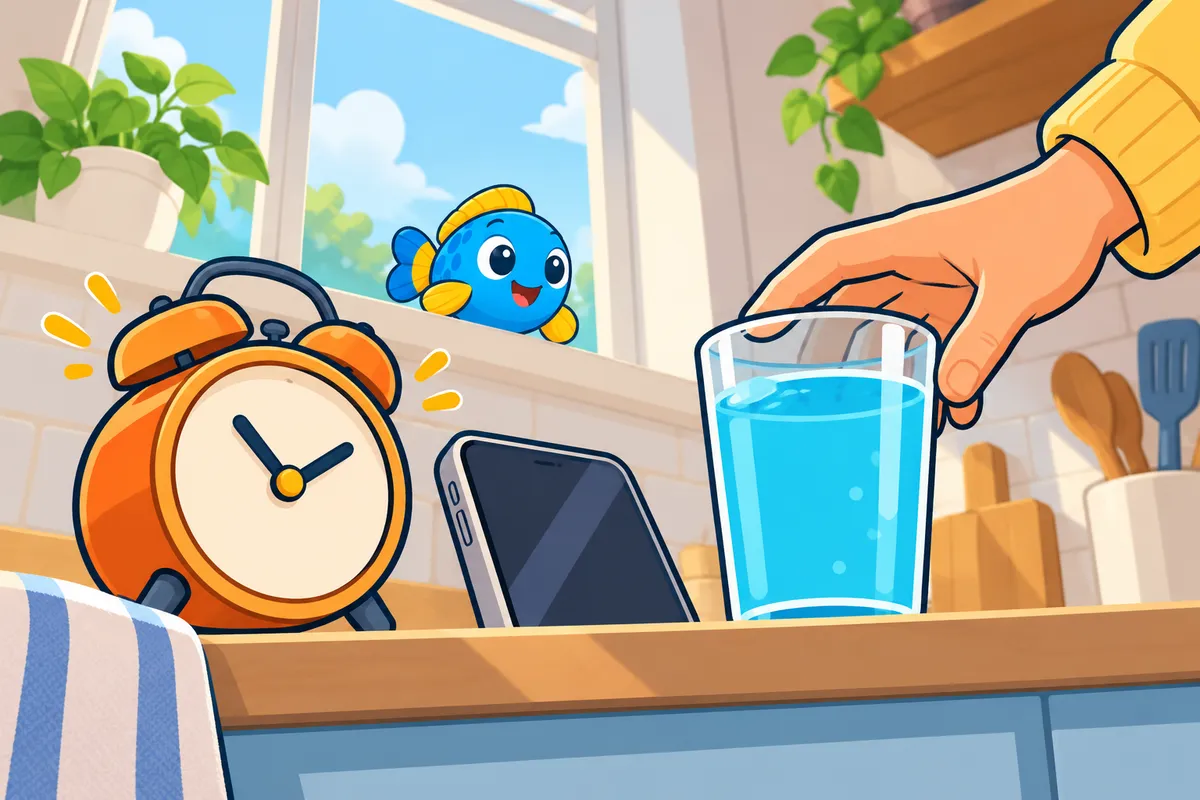
Your phone's Clock app already works as a water alarm app. Set one alarm for each drink time, name it after the amount, and choose the days it repeats. A water reminder app does three things an alarm cannot:
- It spaces reminders by an interval you pick.
- It stays quiet through the hours you sleep.
- It records the glass you drank.
The choice comes down to noise against upkeep. An alarm rings loud and on time but never learns what you drank, while an app sends a quieter notification that can read your log and skip a nudge you no longer need. Every app fact here comes from the US App Store and Google Play listings as of 2 November 2026.
Clock Alarm, Timer, Chime App or Water App?
Pick by how often you need the nudge:
- The clock alarm is for a few fixed times you always miss.
- A chime app gives a steady beat every hour.
- A water app is for when you also want a record of each glass.
A timer suits one stretch of the day, such as a work block, and needs you to restart it.
| Clock alarm | Clock timer | Chime app | Water reminder app | |
|---|---|---|---|---|
| How it repeats | Same time on the days you pick | One countdown; you restart it by hand | Every hour, or every set number of minutes | An interval you set, inside your waking hours |
| How many to set | One per drink time | One, restarted each round | One rule | One rule |
| Records the glass | No | No | No | Yes |
| Night hours | You switch off or delete alarms | Ends after each round | You leave night hours out | Bedtime or quiet hours |
| Cost | Free, built in | Free, built in | Often free with ads | Often free with ads |
Each column fails in its own way. The alarm needs the most upkeep, the timer drifts with every late tap, the chime keeps ringing after you drank, and the water app only knows the glasses you enter.
Can a Phone Alarm Repeat Every Hour?
Not as one alarm. Apple's Repeat option sets up a recurring alarm, and on Android you make an alarm repeat when you tap the days of the week. Neither help page offers an hourly repeat, so hourly water alarms mean one alarm for each hour, each set to repeat daily.
That is fine for six alarms and tiring at sixteen. The count follows from your waking hours and the spacing you want.
| Spacing | Alarms from 7 AM to 10 PM | Water per alarm |
|---|---|---|
| Every hour | 16 | 4 oz (120 ml) |
| Every 90 minutes | 11 | about 6 oz (170 ml) |
| Every 2 hours | 8 | 8 oz (240 ml) |
| Every 3 hours | 6 | about 11 oz (315 ml) |
At 2-hour spacing Teodora sets eight alarms and drinks one cup at each. An hourly set is sixteen alarms and half a cup at every ring.
Weekends Double the Set
An alarm repeats on the days you tick, so a different wake time needs a second set. If Teodora sleeps until 9 AM on Saturday and Sunday, hourly alarms become 16 for weekdays plus 14 for the weekend: 30 alarms to keep in step. At 2-hour spacing the total is 8 plus 7, or 15.
Changing jobs, a new gym slot or daylight-saving week means editing each one. A water app stores the same plan as a wake time, a bedtime and one interval, so you change three settings instead of 30.
If you want the alarm route anyway, the labelling and repeat steps on iPhone and Android take a few minutes per alarm. Before you set an hourly beat, check whether your body needs a drink every hour at all.
Will a Water Alarm Ring When Your Phone Is on Silent?
On an iPhone, yes: Apple states that "Do Not Disturb, the Ring/Silent switch, and Silent mode don't affect the alarm sound." On Android, Do Not Disturb can silence an alarm unless you allow alarms in it.
Water app reminders arrive as notifications, so they follow your notification and Focus settings instead. Apple also gives developers AlarmKit for scheduling alarms in an app, but none of the store listings here says its app uses it. Test an app's reminder with your phone on Silent before you rely on it.
iPhone Clock Alarm
- Sounds through Silent mode and Do Not Disturb
- Snooze shows only if you turn it on
- Only vibrates if you pick None as the sound
- No haptics while in StandBy
Android Clock Alarm
- Do Not Disturb can silence it
- Snooze delays it 10 minutes by default
- Silent ringtone and vibration off: no alarm
- Volume buttons can snooze or dismiss it
Two Android lines catch people out:
- Google's help page warns that "if your ringtone is set to silent and vibration is off, your alarm won't go off".
- It lists "Do Not Disturb silenced your alarm" as an error to fix by allowing alarms in Do Not Disturb.
The loudness cuts both ways. An alarm rings in a meeting, a cinema or a quiet library, which is why people who need a silent nudge often switch to an app, then find that a Work Focus holds the app's reminders back until they add the app to it.
Can a Timer Remind You to Drink Water?
Yes, for one round at a time. Apple's Clock timer counts down from the time you set, keeps running in the background when you open another app or the iPhone sleeps, and sends a notification when it ends. You then tap Repeat to start the same countdown again.
That tap is the weak point. The new round starts when you tap, not when the timer rang, so every late tap pushes the rest of your day later.
Take a 60-minute timer started at 8:00 AM. If you tap Repeat 10 minutes after each ring, every round lasts 70 minutes:
- the first ring comes at 9:00 AM, as planned;
- the fourth comes at 12:30 PM instead of 12:00;
- the eighth comes at 5:10 PM instead of 4:00 PM.
A timer works best for a fixed block with a clear end, like a 3-hour drive, where you restart it at each stop. For a whole day, alarms or an interval app keep their times.
Work in the heat is different: for moderate activity lasting under 2 hours, NIOSH advises "1 cup (8 oz.) of water every 15–20 minutes", which an hourly timer is too slow for.
What "Water Timer App" Usually Means in the Stores
Search the stores for a water timer and many results time something else. Water Timer! on the App Store says it helps you "track shower time, save water", and garden-tap timers fill other results. For drinking, look for the words reminder, interval or hourly in the listing.
Which App Sends Water Reminders Every Hour?
Two kinds of app do it with one setting:
- Chime apps such as Regular Reminders for Habits on iPhone and Hourly Chime by Caynax on Android ring every hour or at an interval you choose, with no log.
- Water apps such as Water Alert Pro, Water Drink Reminder and Glubbo remind you on a schedule and record each glass.
Apps that remind you by interval
- Wake time, bedtime and quiet hours
- One-tap logs: 50, 150, 250 or 500 ml
- Ads; $2.99 a month or $9.99 once
Suits you if you want the interval to bend to what you logged.
Regular Reminders for Habits
Chimes on iPhone
- Hourly alerts or intervals like 45 minutes
- Ads; PRO $2.99 removes them
- 3.4 stars from 8 ratings
Suits you if you want a plain hourly beat on iPhone and log nothing.
Hourly Chime (Caynax)
Chimes on Android
- Free at :00, :15, :30, :45
- Every X minutes in a range is Pro
- 2.9 stars from 5,154 ratings
Suits you if you want a sound or a spoken line every hour on Android.
ADHD Break Reminder & Tracker
Breaks, water included
- Intervals from 15 min to 4 hours
- Quiet hours while you sleep
- Purchases $0.99 to $89.99
Suits you if you want water nudges beside posture and focus breaks.
Water Alert Pro
Logs, with a watch app
- Logs the amount and the time
- Runs on Apple Watch
- Ads; Pro $19.99
Suits you if you want a water schedule and a log on iPhone and Watch.
Water Drink Reminder
Most reviewed on Android
- Start and end time each day
- 4.6 stars from 508K ratings
- Ads; purchases $2.99 to $69.99
Suits you if you want the big, familiar Android water app.
Chime Apps Ring on Time and Record Nothing
A chime app is the closest thing to an hourly alarm in one setting. Regular Reminders for Habits lets you "pick fixed hourly alerts or time intervals (e.g., every 45 minutes)" and lists hourly water reminders as one use.
On Android, the free tier of Hourly Chime rings at :00, :15, :30 or :45 in the hours you choose, can speak a line such as "Drink water" in its Pro mode, and states that it "does not track medication or water". ADHD Break Reminder & Tracker adds quiet hours to intervals from 15 minutes to 4 hours.
Water Apps Ring on a Schedule and Keep a Log
| App | Store | How it schedules | Logs your drinks | Price and ads |
|---|---|---|---|---|
| Water Alert Pro | iPhone, Apple Watch | "Create unlimited reminders" on a custom schedule | Amount and time; writes to Apple Health | Ads; Pro $19.99, or $1.99 for 6 months |
| Water Drink Reminder | Android, Wear OS | Start and end time each day; reminds "when it's time for another drink" | Yes, cups in oz or ml | Ads; $2.99 to $69.99 |
| Drink Water - Reminder | iPhone | Wake hour, sleep time and "how often should notify you" | Pick the glass size | Free; last update 30 Sep 2021 |
| Water Alarm -Intake Reminder | iPhone, Android | "Timely reminders" on both store pages; no interval named | Yes, with a daily goal | Free; no ratings yet, 100+ Android downloads |
| Glubbo |
iPhone, Android | An interval in Gentle, Smart or Strict style, within wake time and bedtime | One tap: 50, 150, 250 or 500 ml | Ads; $2.99 a month or $9.99 once |
None of these listings says whether you can set exactly 60 minutes, and none says whether a reminder sounds under Silent mode or Focus. Only the chime apps name an hourly setting:
- Regular Reminders for Habits offers "fixed hourly alerts".
- Hourly Chime rings free at :00.
- ADHD Break Reminder & Tracker has intervals from 15 minutes to 4 hours, which include 60.
For the water apps, set one reminder and watch whether it arrives on the hour before you trust it.
The app actually named Water Alarm names no interval on either store page, so the word alarm in a title says little about how it rings. Glubbo's Smart style skips a reminder when you are on track and comes sooner when you fall behind, and Strict reminds you at every interval until you reach your goal, as its App Store listing puts it.
When Should You Keep the Plain Alarm?
Keep the alarm when you need it loud, short-term or free of any new app. Move to an interval app when the alarm list grows past what you are willing to edit.
Pick by what the reminder must do
- Ring through Silent mode on an iPhoneA Clock alarm
- Three or four fixed drinks, the same every dayA Clock alarm per drink
- A drink every hour for one block with a clear end, like a driveA Clock timer, restarted at each stop
- An hourly beat with nothing to logA chime app
- Reminders plus a record of each glassA water reminder app
- No reminders at night, with no alarms to deleteAn app with quiet hours

Set Water Alarms You Will Not Snooze Away
An alarm you dismiss without drinking teaches you to dismiss it. These settings keep each ring tied to a real glass.
Settings for a water alarm that works
5 items- Name each alarm after the amount, such as 8 oz
- Leave snooze off on iPhone; on Android, dismiss rather than snooze
- Tick only the days that share that wake time
- Count first: 2-hour spacing is 8 alarms, hourly is 16
- Fill a bottle before the first alarm so the drink is within reach
If you still miss alarms after a week, spread the same times with the schedule tool for your goal and hours, or move to one app interval with a bedtime. A wake time, a bedtime and one interval are three settings to edit; the same plan as alarms is one edit per alarm.
Common Questions
Do two alarms set close together both ring?
Not always on Android. Google warns that the first of two alarms set too close together may be canceled, so leave at least 5 minutes between them.
How long does an Android alarm keep ringing?
As long as your Silence after setting allows. You pick that length in the Clock app under More, then Settings, then Alarms, next to snooze length and volume.
Can a water alarm play a song instead of a beep?
Yes on Android, where the Clock app can play a track from YouTube Music, Spotify, Pandora or Calm. Picking one exact song needs a premium account with that service.
General information for healthy adults, not medical advice. If a doctor has set your fluid amount, follow that.
More in Water Apps


Sources
- Apple Support. How to set and change alarms on your iPhone, 2026.
- Apple Support. Set timers in Clock on iPhone, 2026.
- Android Help. Set, cancel, or snooze alarms on your Android device, 2026.
- Clock Help. Set time, date and time zone, 2026.
- Apple App Store (Daniil Zubach). Regular Reminders for Habits, 2026.
- Apple App Store (Rohit .). ADHD Break Reminder & Tracker, 2026.
- Google Play (Caynax). Hourly Chime: Talking Clock, 2026.
- Apple App Store (LINKLINKS LTD). Water Alert Pro, 2026.
- Apple App Store (Javier Hernandez Torres). Drink Water - Reminder, 2021.
- Apple App Store (Magespider Infoweb). Water Alarm -Intake reminder, 2026.
- Google Play (Magespider Infoweb Apps). Water Alarm -Intake Reminder, 2026.
- Google Play (Leap Fitness Group). Water Drink Reminder, 2025.
- Apple App Store (Glubbo). Glubbo - Drink Water Reminder, 2026.
- Google Play (Vinclair Studio). Glubbo - Drink Water Reminder, 2026.
- CDC NIOSH. Heat stress, recommendations for working in heat, 2026.
- Apple Developer Documentation. Scheduling an alarm with AlarmKit, 2026.
- Apple App Store (Water Timer). Water Timer!, 2026.
Sources checked by the Glubbo Editorial Team on Nov 7, 2026. General information, not medical advice. How we write and check our guides.

