Water Apps · By Phone and Watch
Water Reminder Extension Picks for Chrome, Edge and Firefox
Eight Chrome extensions compared, the Edge and Firefox routes, the permissions to expect, and when reminders go quiet.
 By the Glubbo Editorial Team · Updated Nov 7, 2026 · 9 min read
On This Page
- Which Water Reminder Extension Has the Most Users?
- Does a Water Reminder Extension Work When Chrome Is Closed?
- Can You Add a Chrome Water Reminder Extension to Edge?
- What Permissions Does a Water Reminder Extension Need?
- Is a Water Reminder Website as Good as an Extension?
- Does Glubbo Have a Browser Extension?
- Your Browser Reminder for a 9 to 5 Day
- Common Questions
- Sources
Short answer
Two Chrome extensions lead; both stop when Chrome does.
- Water Reminder lists 20,000 users; Drink Water Reminder lists 10,000 and logs drinks.
- Edge installs Chrome Web Store extensions after you allow other stores.
- With Chrome closed, an extension shows nothing unless background mode is on.
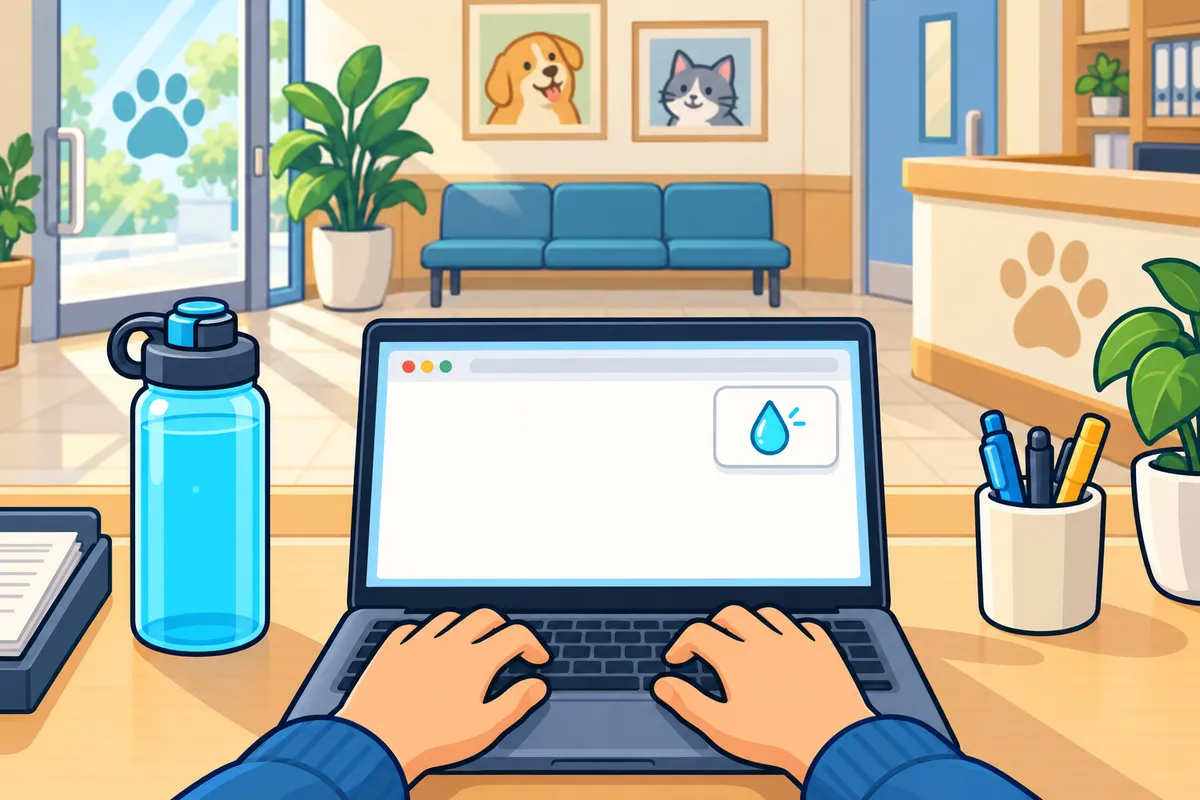
Install Water Reminder or Drink Water Reminder from the Chrome Web Store: they are the only two water extensions there with thousands of users, and both work in Edge as well. Keep one limit in mind before you rely on either. An extension lives inside the browser, so it reminds you only while Chrome or Edge is running.
That suits a desk day spent in browser tabs, when the bottle you filled at nine is still full at two. The listings below are as shown on the Chrome Web Store and Firefox Add-ons on 7 November 2026.
Which Water Reminder Extension Has the Most Users?
Water Reminder by Dylan B., with 20,000 users and 4.5 stars from 70 ratings, then Drink Water Reminder with 10,000 users and 4.8 stars from 118 ratings. The six others below list under 200 users each, and their 5.0 scores rest on 2 to 16 ratings.
Users matter here for a plain reason. A small extension can stop getting updates and break after a Chrome release, and a listing with few users gives you few reviews to warn you.
The Two Worth Installing First
Water Reminder lets you set the frequency and choose an audio alert, a visual one or both. Version 2.0 added notifications that stay on screen until you acknowledge them, so a reminder that lands while you are in a meeting is still there when you look back. It logs nothing, and its last update was March 6, 2025.
Drink Water Reminder, made by the owner of drink-water-reminder.app, adds a tracker: you log your intake, set a daily goal and earn badges for reaching it. You can change the frequency, the sound and the hours. Its update on November 1, 2026 is recent, though Water Reminder App was updated two days later, on November 3.
Water Reminder (Dylan B.)
- 20,000 users; 4.5 from 70 ratings
- Sound, visual alert or both
- Logs nothing; last update Mar 6, 2025
Drink Water Reminder (website)
- 10,000 users; 4.8 from 118 ratings
- Logs drinks, daily goal and badges
- Updated Nov 1, 2026
Pick the first if you want a nudge and nothing to log, the second if you want reminders and a daily count in one place.
Smaller Extensions With One Useful Trick
- Water Reminder App shows its reminder over the website you are reading, as a duck, a wave or a quiet banner, instead of a system notification. It suggests a goal from your body weight, lets you log a glass from the prompt, and its listing says "There are no ads."
- Reminder to Drink Water keeps your count in Chrome's side panel and stores it on your computer, with no account and no cloud sync.
- Drink Water Timer by Feedsgo waits 60 minutes, then turns your next new tab into a water-break reminder.
Two more are minimal:
- Water Reminder - Your Personal Hydration Assistant logs preset amounts from 100 to 500 ml with audio and text reminders.
- Pavasiya Infotech's Drink Water Reminder only reminds you, every 30 or 60 minutes for example.
The hourly Water Reminder promises "No menus, no settings, and no setup required."
| Extension | How it reminds you | Logs drinks | Last updated |
|---|---|---|---|
| Water Reminder (Dylan B.) | Notification, sound or both | No | Mar 6, 2025 |
| Drink Water Reminder (website) | Notification with sound | Yes, with a goal | Nov 1, 2026 |
| Water Reminder App | Prompt over the web page | Yes, with a goal | Nov 3, 2026 |
| Reminder to Drink Water | Nudges, count in a side panel | Yes, with a goal | Feb 20, 2026 |
| Drink Water Reminder (Pavasiya) | Alert with a hydration tip | No | Aug 19, 2026 |
| Personal Hydration Assistant | Audio and text | Yes, 100 to 500 ml presets | Feb 17, 2025 |
| Water Reminder (hourly) | Notification every 60 minutes | No | May 18, 2026 |
| Drink Water Timer | Your next new tab | No | Mar 7, 2022 |
| Glubbo (phone app, not an extension) | Phone notifications in three styles | Yes, with a goal | iPhone and Android |
None of these listings shows a price. Every one of them declares that the developer will not collect or use your data.
Does a Water Reminder Extension Work When Chrome Is Closed?
Usually not. An extension runs inside Chrome, and Google's policy page says Chrome's background mode is off at first; only with it on does Chrome start at sign-in and keep running after you close the last window. So close every Chrome window at lunch and the 1 pm reminder never appears.
Chrome Enterprise's policy page describes what background mode changes: Chrome keeps a process running with an icon in the system tray, and you can quit it from there. The same page says that unless an administrator has set the policy, users can change it in the browser's settings.
Chrome window open
- Reminders arrive on schedule
- A sleeping laptop catches up on wake
- Notifications can stay until you dismiss them
Every Chrome window closed
- Nothing, unless background mode is on
- Incognito: extensions are off unless you allow them there
- Your phone has to cover the gap
Sleep is the other gap. Chrome's alarm timer, which extensions use to schedule reminders, keeps counting while the computer sleeps but cannot wake it. When it wakes, any missed alarm fires, so the reminder you slept through arrives the moment you open the lid.

Can You Add a Chrome Water Reminder Extension to Edge?
Yes. Microsoft Edge installs extensions straight from the Chrome Web Store once you allow other stores, so both big water reminders work in it. Edge's own Add-ons store is the other route, but it is the Chrome Web Store that holds the extensions with real user numbers.
Microsoft Support gives these steps:
A Chrome Web Store water reminder in Edge
- In Edge, open the Chrome Web Store and find the extension
- Select Get extension or Get on its page
- Choose Allow extensions from other stores, then Allow
- Review the permissions, then select Add extension
On a Windows PC, Edge delivers the reminders as Windows notifications, so the Focus and Do Not Disturb rules of your PC still apply. When a presentation hides them, letting one app through Do Not Disturb brings the banners back.
Firefox and Safari
Firefox has its own add-ons, and they are small. Hydrator is the largest water one, with 177 users and 4.3 stars from 18 reviews, but it was last updated in September 2021.
It asks for a single permission, "Display notifications to you". The other water reminders in a Firefox Add-ons search list 18 users or fewer. Drink Water, which shows up under a search for "drink water" instead, lists 74 users and 3 ratings.
Safari extensions come from the Mac App Store; Apple's guide opens them from the Safari menu, under Safari Extensions. On a Mac, a menu bar app or the Reminders app repeating every two hours reaches you in every browser at once.
What Permissions Does a Water Reminder Extension Need?
Only notifications, in most cases. Chrome's permissions list shows the warning "Display notifications" for that one, and none for the timer ("alarms") or for saving your count ("storage"). An extension that reminds you and nothing more needs no access to the websites you visit.
Chrome's permissions list is the reference for what each request does. Edge shows the same list in its install prompt and tells you to "carefully review the permissions" before you add one.
What the install prompt should and should not ask
5 items- Display notifications: expected for any reminder
- No warning for the timer or for saving your count
- Access to websites: only for a prompt drawn on the page
- Browsing history or tabs: no reason for a water reminder
- A privacy section that says no data is collected
The one honest exception is a reminder drawn over the page you are reading, as Water Reminder App does. That design needs access to the websites you open, and its listing answers the worry directly: it says it "never reads the pages you visit and never sends your data anywhere". If an extension asks for website access and shows its reminders as plain notifications, pick another one.
Is a Water Reminder Website as Good as an Extension?
Not quite. A reminder website sends notifications only after you allow them for that site, and Chrome Help warns that Chrome may take that permission away from sites you have not visited in a while. An extension keeps the permissions you approved when you installed it.
A website does suit a borrowed or work computer where you cannot install anything. Open it in a normal window, since Chrome shows no notifications in private browsing, and pin the tab so you do not close it by habit.
To check that a site may notify you, open its site information from the left of the address bar and turn on Notifications. Google's notification guide also explains the quieter setting, where a small bell by the address bar replaces the permission pop-up and an allow request is easy to miss.
Does Glubbo Have a Browser Extension?
No. Glubbo is a phone app for iPhone and Android, with no extension and no Windows or Mac version. Paired with a Chrome extension, it covers the hours the laptop is shut: the extension nudges you at the desk, the phone everywhere else.
Your Browser Reminder for a 9 to 5 Day
Set the extension to your working hours, then size each drink to your own goal. As arithmetic only: an hourly reminder from 9 AM to 5 PM rings 8 times, so a 250 ml (8 oz) glass each time would add up to 2 L (about 68 oz). Your goal may be higher or lower; the Water Drinking Schedule divides your own number.
Then make the reminders hard to ignore:
- Install Water Reminder or Drink Water Reminder, and set the interval to 60 minutes inside your work hours.
- Turn on the sound, or the option that keeps a notification until you dismiss it.
- Put a filled bottle within reach before the first reminder, so each one costs a sip, not a walk.
- Add one phone reminder for the commute home, the hour when Chrome is closed.
Before you rely on a pick, test it once:
- Set the interval to the shortest it allows and wait for a reminder to appear.
- Turn on Focus or Do Not Disturb and check whether the reminder still shows; if not, allow the browser through.
- Close every browser window and see whether a reminder appears; it should not unless background mode is on.
If your goal is smaller, keep the hourly pace and pour a smaller glass.
Common Questions
Do water reminders show in an Incognito window?
No. Chrome Help says you won't get notifications while you browse privately, so keep a normal window open for the day's reminders.
Can I install a water reminder extension from my phone?
Yes, for your computer only. In Chrome on the phone, tap Add to Desktop, and Chrome installs it the next time you open Chrome on your computer.
General information for healthy adults, not medical advice. If a doctor has set your fluid amount, follow that.
More in Water Apps
Sources
- Chrome Web Store (Dylan B.). Water Reminder, 2025.
- Chrome Web Store (drink-water-reminder.app). Drink Water Reminder, 2026.
- Chrome Web Store (Pasha). Water Reminder App, 2026.
- Chrome Web Store (Useful Software Apps). Reminder to Drink Water, 2026.
- Chrome Web Store (Pavasiya Infotech). Drink Water Reminder, 2026.
- Chrome Web Store (Hafeez Mohamad). Water Reminder - Your Personal Hydration Assistant, 2025.
- Chrome Web Store. Water Reminder (hourly), 2026.
- Chrome Web Store (Feedsgo). Drink Water Timer: Every 60 Minutes, 2022.
- Firefox Add-ons (Santosh). Hydrator, 2021.
- Firefox Add-ons. Drink Water, 2024.
- Firefox Add-ons. Search results for water reminder, 2026.
- Microsoft Support. Add, turn off, or remove extensions in Microsoft Edge, 2026.
- Apple Support. Get extensions to customize Safari on Mac, 2026.
- Google Chrome Help. Manage notifications in Chrome, 2026.
- Chrome Web Store Help. Install and manage extensions, 2026.
- Chrome Enterprise. BackgroundModeEnabled: Continue running background apps when Google Chrome is closed, 2026.
- Chrome for Developers. chrome.alarms, 2026.
- Chrome for Developers. Permissions list, 2026.
- Apple App Store (Glubbo). Glubbo - Drink Water Reminder, 2026.
- Google Play (Vinclair Studio). Glubbo - Drink Water Reminder, 2026.
Sources checked by the Glubbo Editorial Team on Nov 7, 2026. General information, not medical advice. How we write and check our guides.

